Your documents. Your privacy. Your AI.
DocuChat is a private, on-device AI document study companion that lets you chat with PDFs, generate study guides, and listen to audio deep dives, without a single byte leaving your device.
Live Preview
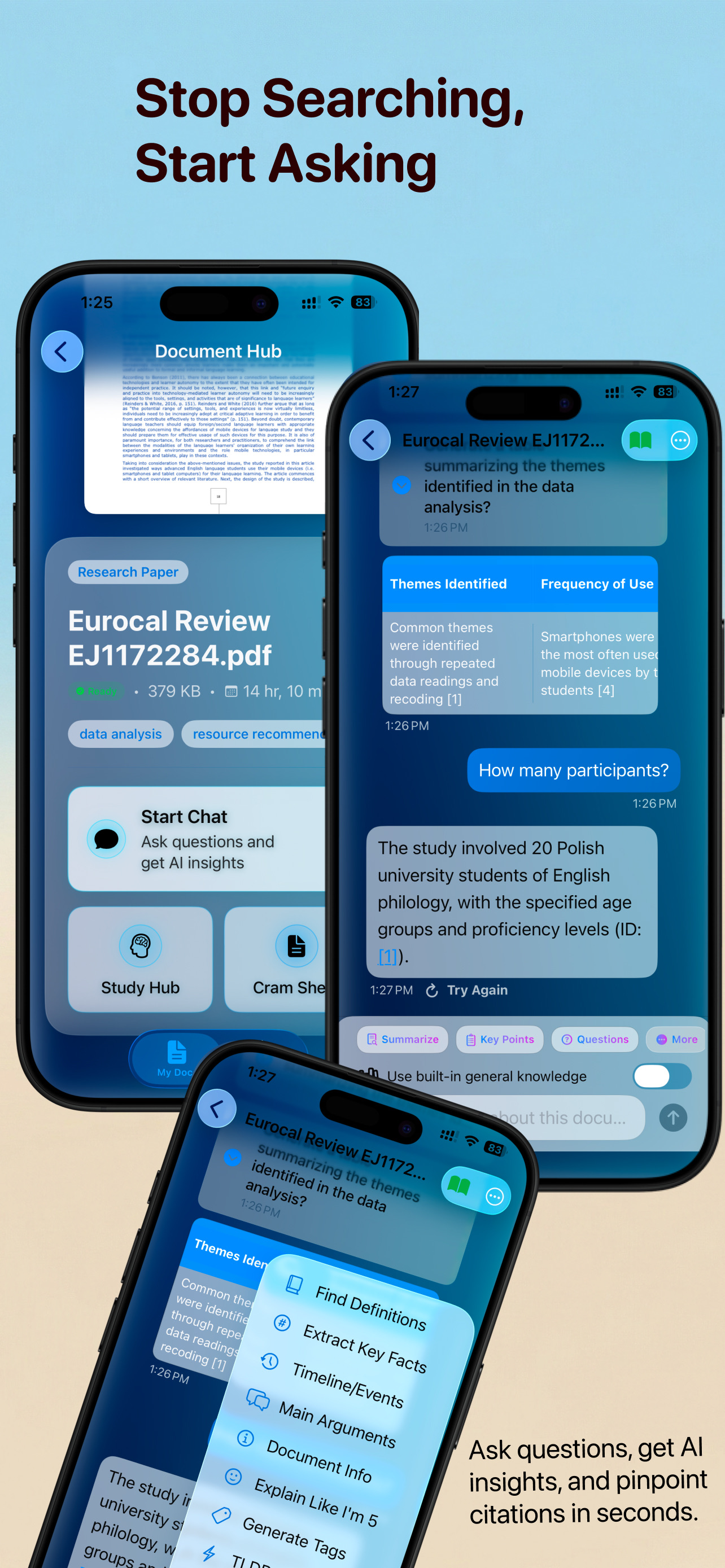
Ask, cite, and study in one private workspace.
"Summarize section 2 and give 3 key takeaways as a table."
DocuChat
Here's a quick summary plus a markdown table of the takeaways:
Top 3 takeaways
| Takeaway | Why it matters | Citation |
|---|---|---|
| On-device embeddings | No cloud data ever leaves | p. 4 |
| Flashcard-ready highlights | Instant study prep | p. 6 |
| Audio Deep Dive | Podcast the dense parts | p. 8 |
Cited snippets are pinned for you in chat history.

Study Hub
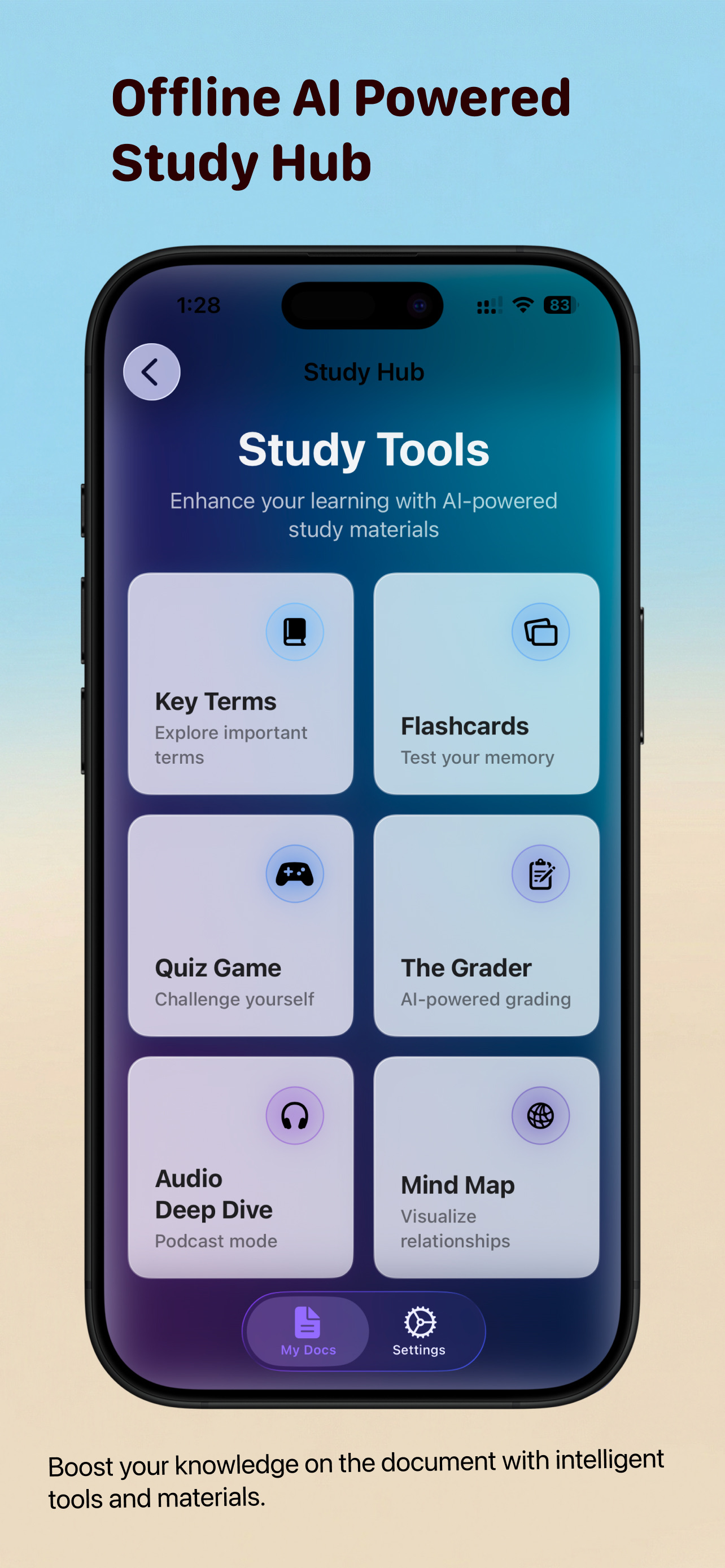
On-device study tools inspired by the app’s UI - fast, private, and ready for any document.

Explore important terms
Surface definitions, get ELI5 (Explain Like I'm 5) summaries, and anchor complex concepts instantly.

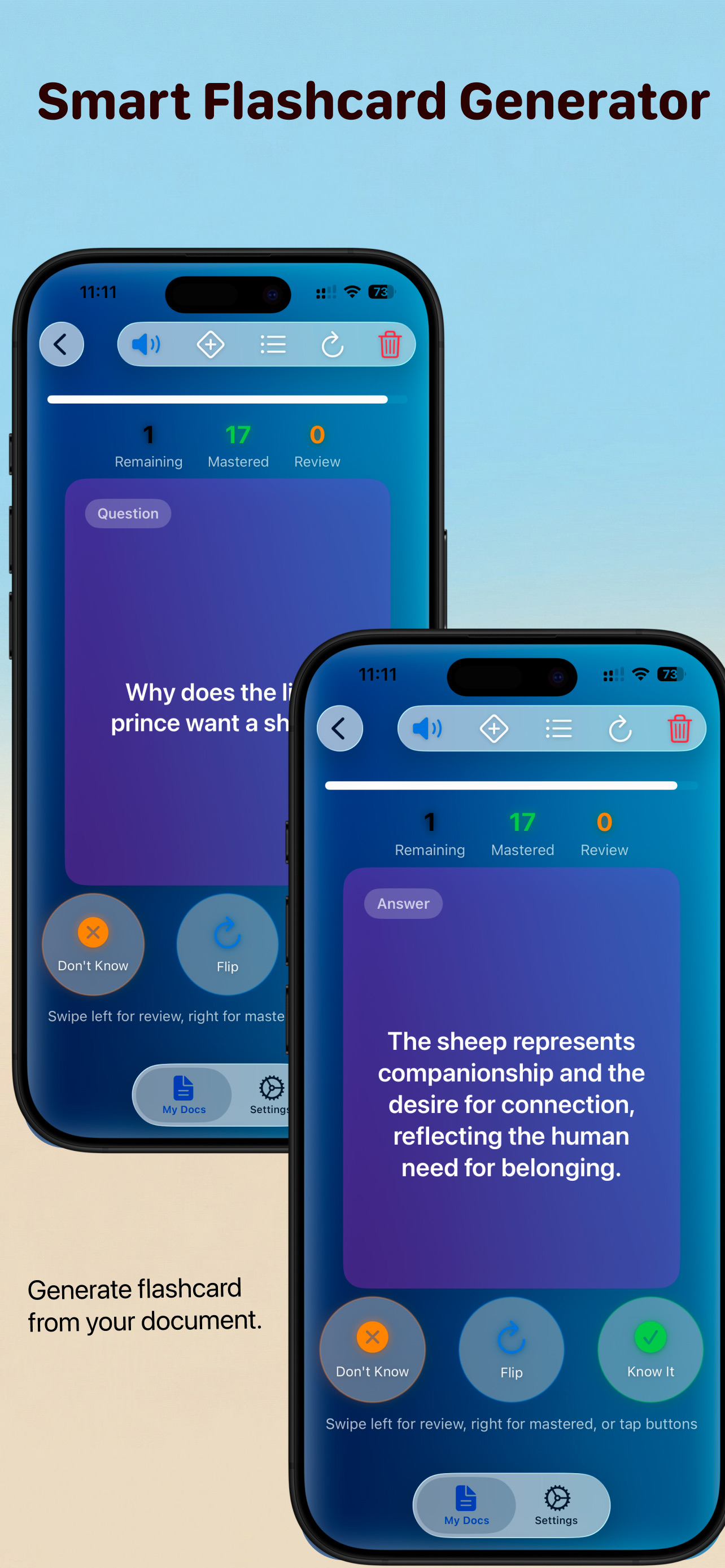
Test your memory
Use the AI Flashcard Maker to turn lecture notes into review decks in seconds, kept strictly on-device.

Challenge yourself
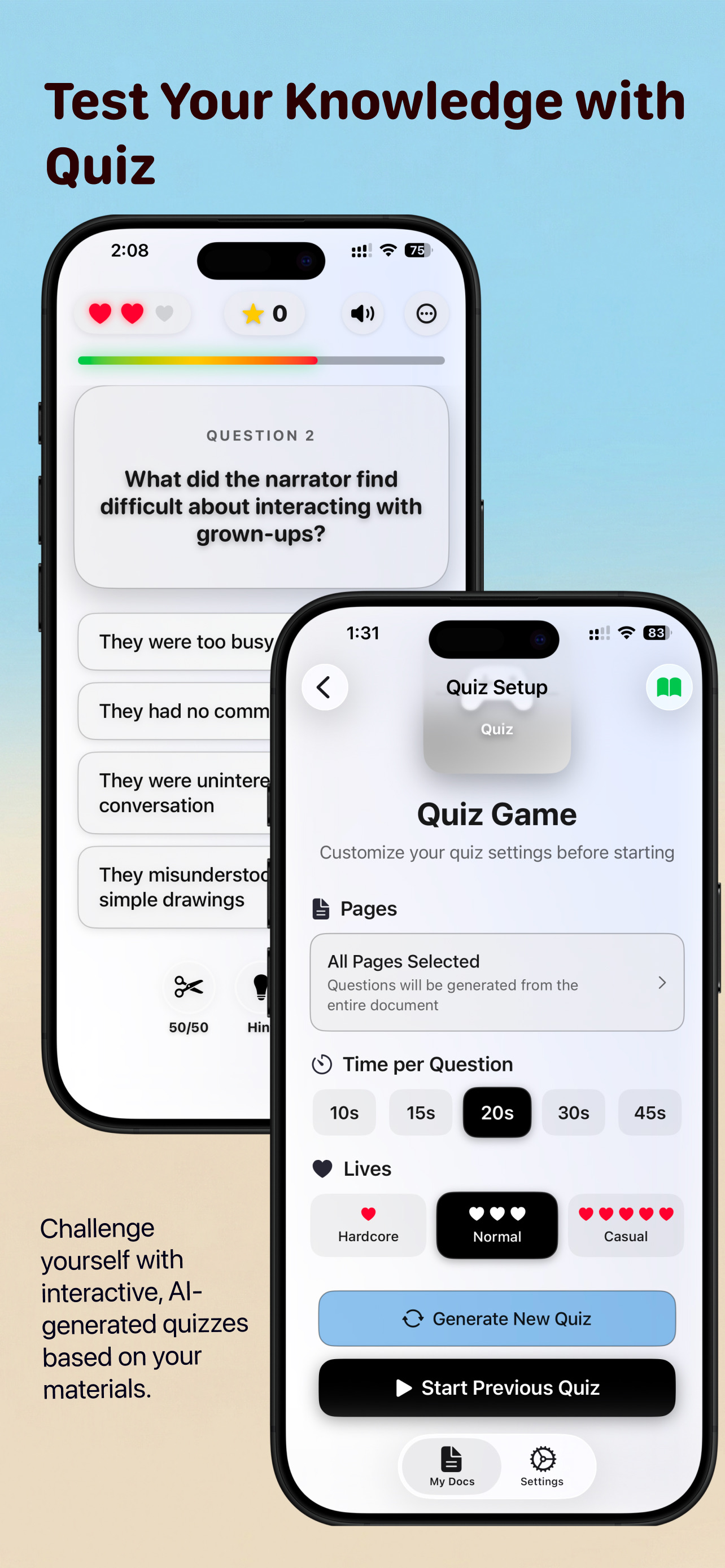
Test your knowledge with an Offline Quiz Generator that builds multiple-choice questions directly from your PDF.

AI-powered grading
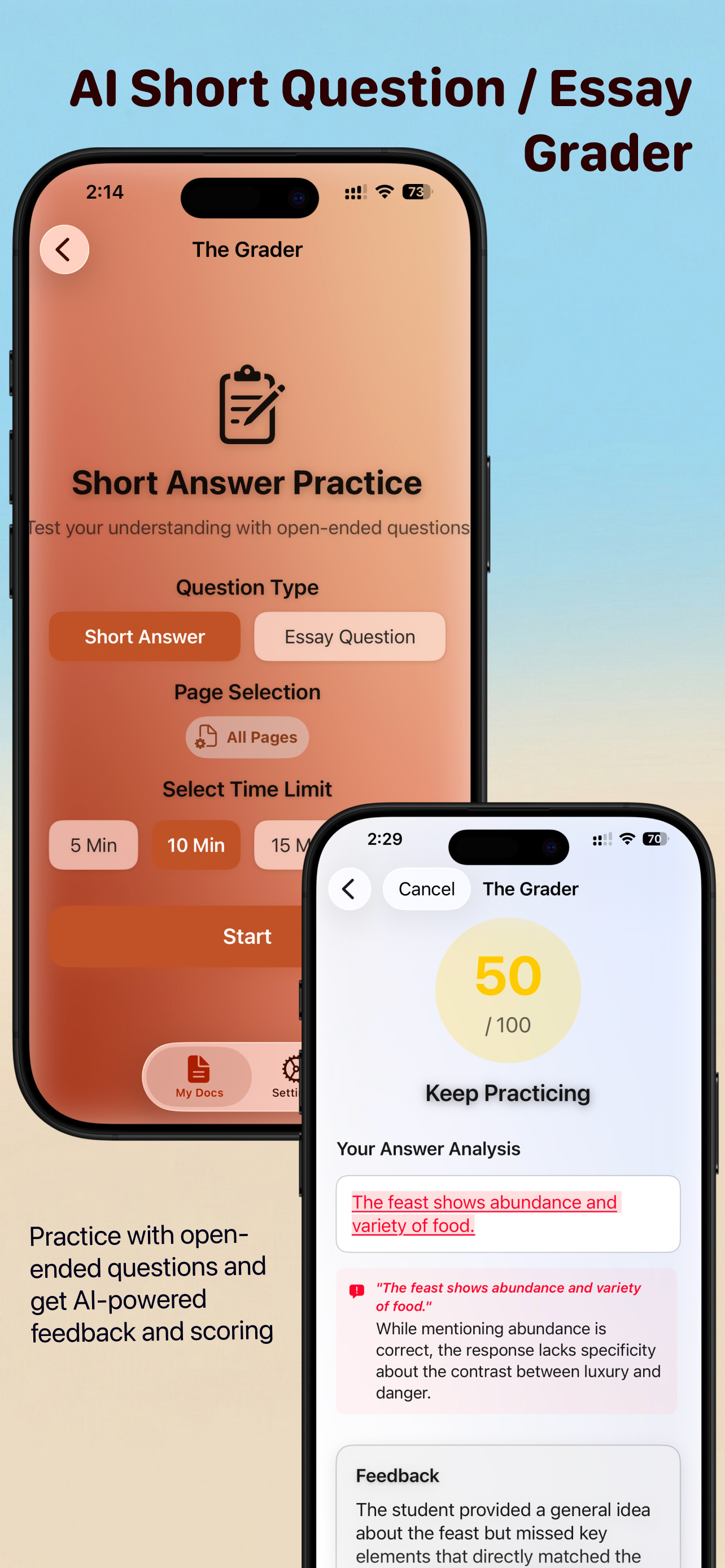
Assess essays and short answers with rubric alignment and inline suggestions — all on-device.

Podcast dense sections
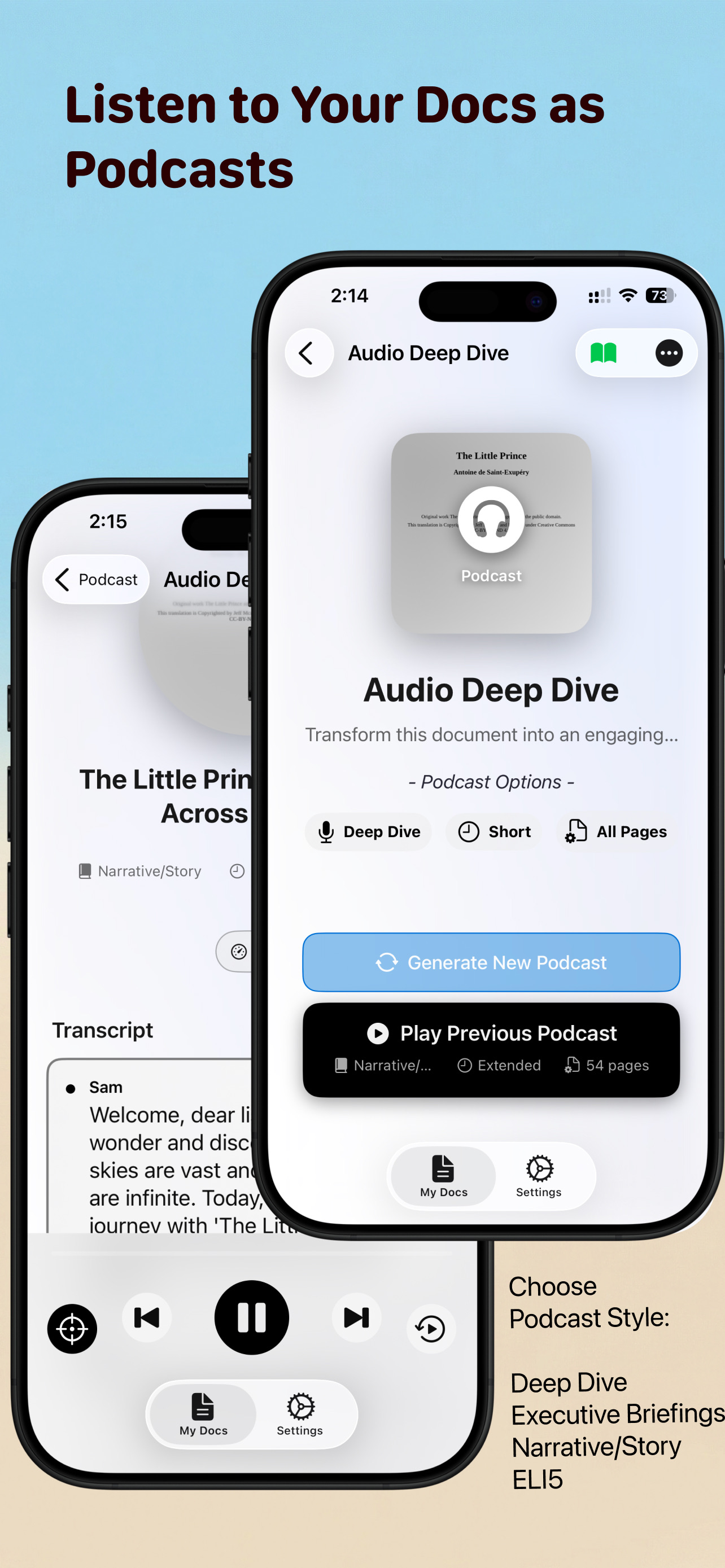
Transform dense sections into an engaging podcast-style listen for commute-friendly study.

Visualize relationships
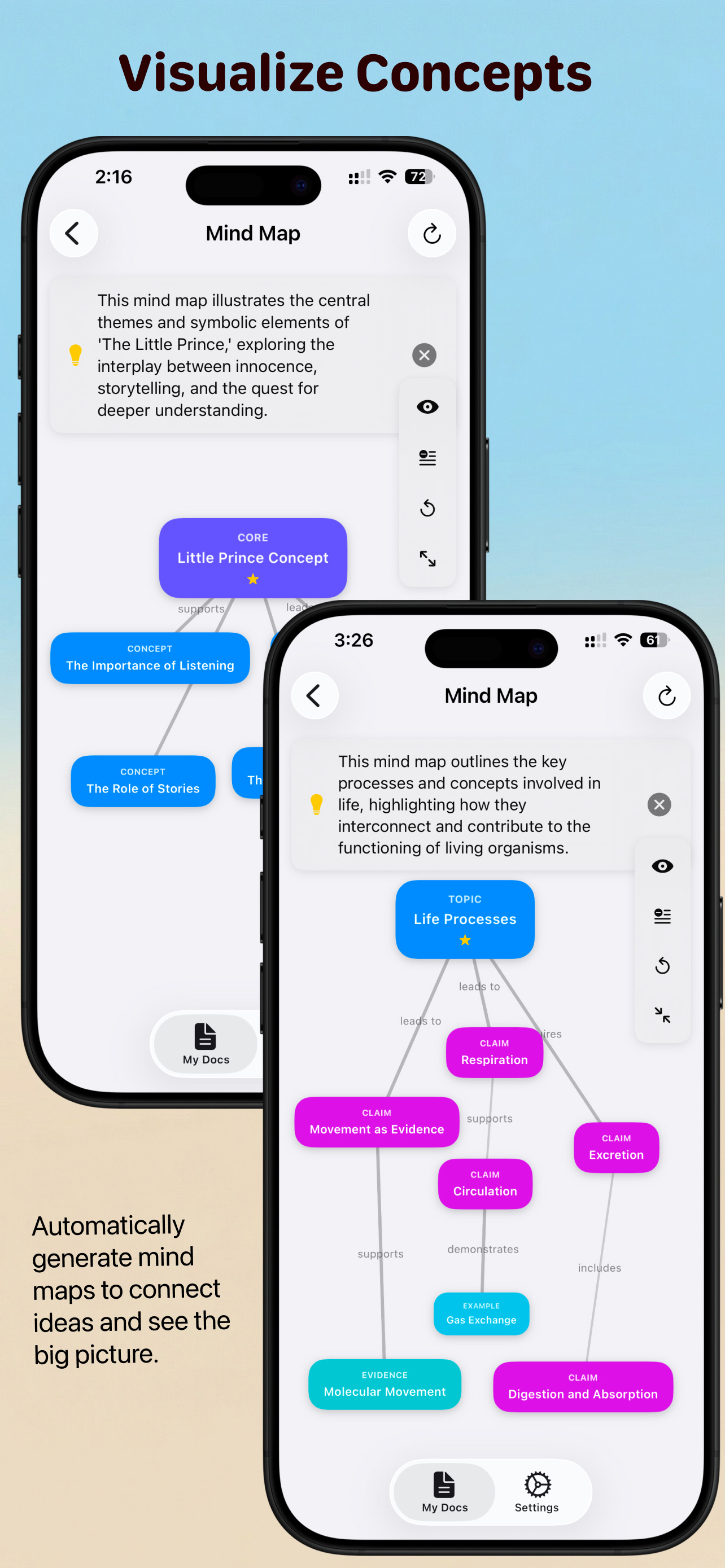
Create quick mind maps to connect ideas and keep concepts organized with your citations.
100% on-device. No tracking. No uploads.
Enjoy military-grade privacy for your exams, contracts, and research papers. Text extraction, vector search, and LLM responses stay entirely on your device.
Security at every step
- All processing local - zero cloud calls
- Per-document encrypted chat history
- On-device citations and highlighting
- Offline mode for sensitive work
- Permissions-light: no contacts, no analytics SDKs
Device requirements
Optimized for Apple silicon and the latest OS releases.
iPhone
iPhone 15 Pro or newer
iOS 26+
iPad
M-series iPad
iPadOS 26+
Mac
Mac with Apple silicon
macOS 26+
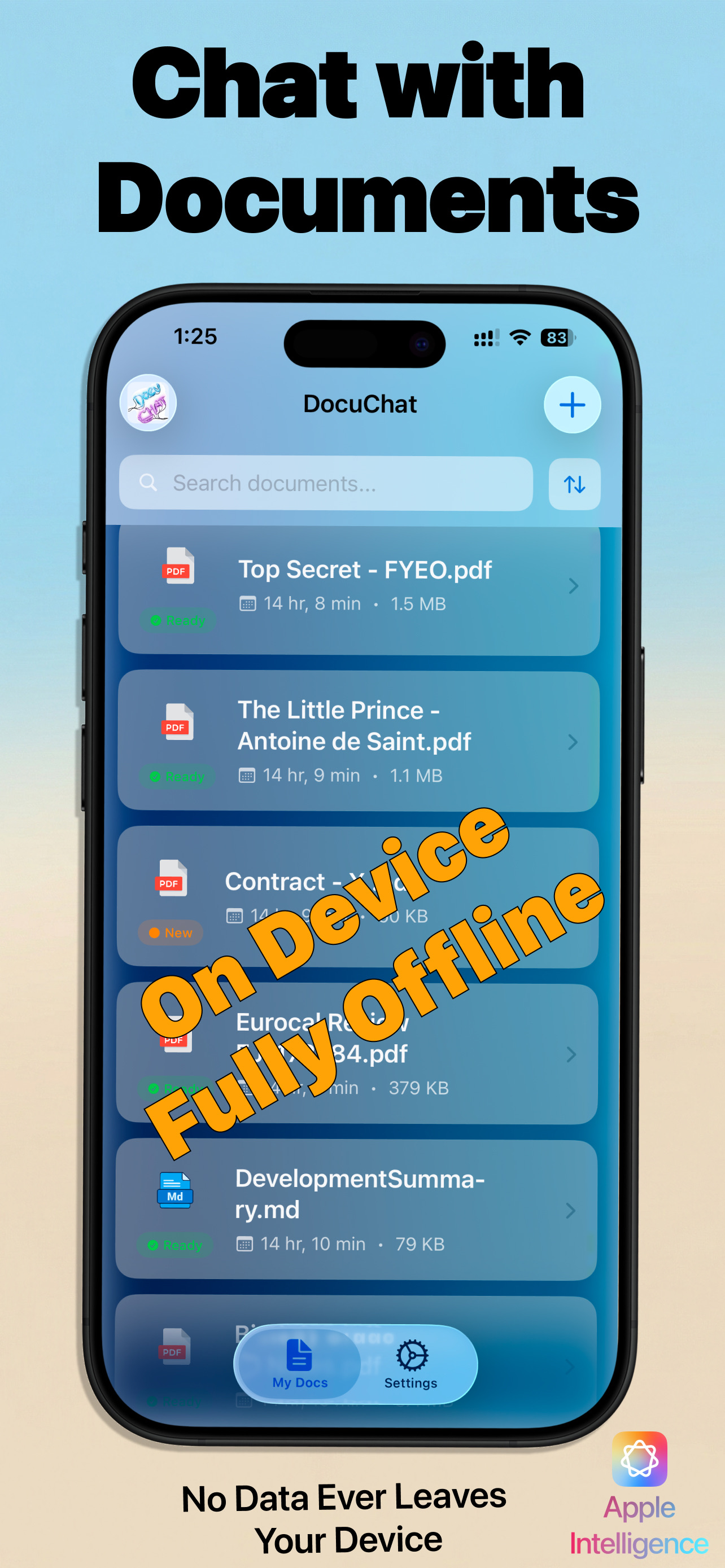
Screens you'll love
Glassmorphic UI, vibrant gradients, and smooth motion tuned for accessibility.
FAQ
Is any data sent to the cloud?
No. All text extraction, embeddings, vector search, and LLM responses run locally using Apple Intelligence Foundation Models and CoreML.
Which files are supported?
PDF, TXT, Markdown, and CSV are supported at launch. Markdown tables render directly in chat.
What is Audio Deep Dive (Podcast Mode)?
Transform dense document sections into an engaging podcast-style dialogue between a host and expert. Perfect for learning on the go—listen while commuting, exercising, or multitasking.
Can I use DocuChat offline?
Yes. Once installed, DocuChat works fully offline, ideal for sensitive research and travel.
What devices are supported?
iPhone 15 Pro+, M-series iPads, and Macs with Apple silicon running iOS/iPadOS 26+ or macOS 26+.
Can it summarize business reports or research papers?
Yes. DocuChat features advanced Document Summary & Analysis tools, including "TL;DR" breakdowns, ELI5 (Explain Like I'm 5) simplification, and instant SWOT Analysis for dense business reports.
Is it safe for confidential documents like legal contracts?
Absolutely. DocuChat offers military-grade privacy by using the Apple Neural Engine to run Large Language Models locally. Zero data ever leaves your device or goes to a cloud server, making it perfect for highly secure environments.
Ready to keep your documents private?
Download DocuChat and experience secure, on-device AI for study and research.

No account required. Start free - upgrade anytime.